HARMONI Face
Harmoni provides a wrapper on the cordial face, which is capable of expressing speech and emotion.
We provide a fork of the face of CoRDial which was created by the Interaction Lab. Although it started as one face, we have implemented separate services for the eyes and mouth, allowing them to be controlled independently.
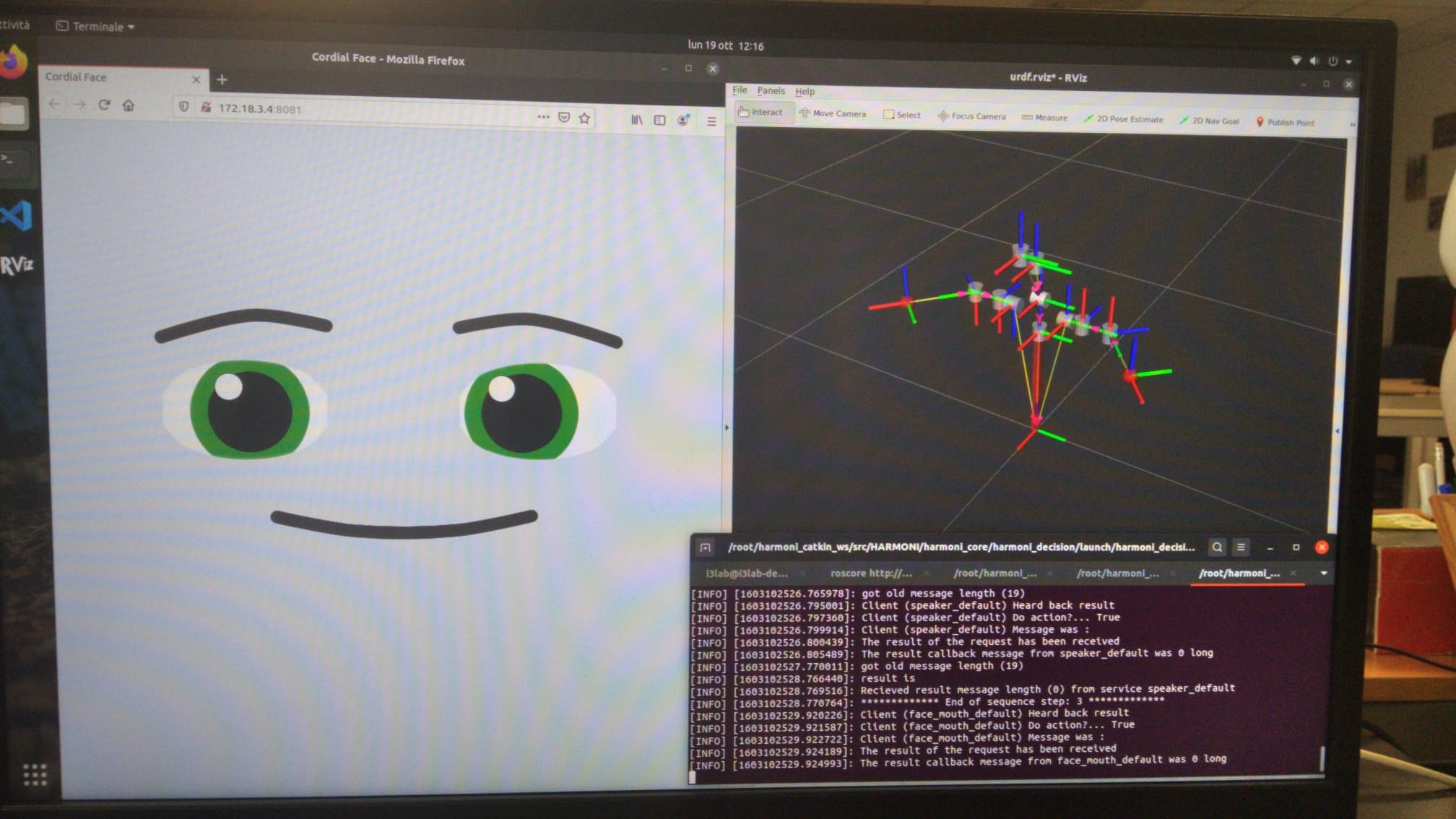
The face service is split into thress services: the mouth, the nose, and the eyes. All the services can handle:
Action Units (AUs, facial action units corresponding to the facial muscle movements and which coding system is found here)
Facial expressions (combination of action units)
The mouth service handles also:
Visemes (sound of words)
The eyes service handles also:
Gaze direction (where the face is looking at)
Usage
The following documentation refers to the facial expression and action units requests (the ones that are managed by all the services). These requests can be called from every face service: mouth, eyes, and nose.
The API for Facial Expression and Action Units has:
Request Name: ActionType: DO
Body: data(str)
Response:
response (int): SUCCESS, or FAILURE
message (str): empty string because no response is provided for a DO action
The body string is a list of object with the following items:
Key |
Definition |
Value Type |
|---|---|---|
start |
timing of the facial expression or action units after the beginning of the request |
int [seconds] |
type |
type of request for the face (e.g., action, viseme, gaze) |
str, “action” or “au” |
id |
name of facial expression or action units (e.g., “happy_face”, “au1”) |
str, “au\(number", "\)name_face” |
pose |
intensity of action units (no needed for facial expressions) |
int [0 - 1] |
The Action Units are the following: “au1”, “au2”, “au4”, “au5”, “au6”, “au43”, “au9”, “au38”, “au39”, “au10”, “au12”, “au13”, “au14”, “au15”, “au16”, “au17”, “au18”, “au20”, “au23”, “au24”, “au25”, “au26”, “au27”.
The Facial Expressions are the available in the resource folder.
Here two examples for requiring facial expressions and action units:
Facial expression
data: str([ {‘start’: 1, ‘type’: ‘action’, ‘id’: ‘saucy_face’}, {‘start’: 2, ‘type’: ‘action’, ‘id’: ‘breath_face’}])
Action Units
data:str([{‘start’: 0, ‘type’: ‘au’, ‘id’: ‘au13’, ‘pose’: 1}])
Mouth service
The API for Visemes has:
Request Name: ActionType: DO
Body: data(str)
Response:
response (int): SUCCESS, or FAILURE
message (str): empty string because no response is provided for a DO action
The body string is a list of object with the following items:
Key |
Definition |
Value Type |
|---|---|---|
start |
timing of the viseme after the beginning of the request |
int [seconds] |
type |
type of request for the face (e.g., action, viseme, gaze) |
str, “viseme” |
id |
name of the viseme (e.g., “POSTALVEOLAR”) |
str, “$viseme” |
Here the list of visemes ids ($viseme):
“BILABIAL”
“LABIODENTAL”,
“INTERDENTAL”,
“DENTAL_ALVEOLAR”,
“POSTALVEOLAR”,
“VELAR_GLOTTAL”,
“CLOSE_FRONT_VOWEL”,
“OPEN_FRONT_VOWEL”,
“MID_CENTRAL_VOWEL”,
“OPEN_BACK_VOWEL”,
“CLOSE_BACK_VOWEL”,
“IDLE”
This is an example for viseme request:
Viseme
data: str([{‘start’: 0.075,’type’: ‘viseme’, ‘id’: ‘POSTALVEOLAR’}])
Eyes service
The API for the Gaze Direction has:
Request Name: ActionType: DO
Body: data(str)
Response:
response (int): SUCCESS, or FAILURE
message (str): empty string because no response is provided for a DO action
The body string is a list of object with the following items:
Key |
Definition |
Value Type |
|---|---|---|
start |
timing of the gaze after the beginning of the request |
int [seconds] |
type |
type of request for the face (e.g., action, viseme, gaze) |
str, “gaze” |
id |
name of the target (e.g., “target”) |
str, “$name_target” |
point |
coordinates (x,y,z) of gaze directions |
list[], range are the following (never zero!): x: {-7,+7}, y:{-5, +5}, z:{-10, +10} |
This is an example for gaze direction request:
Gaze direction
data: str([{‘start’: 0, ‘type’: ‘gaze’, ‘id’:’target’, ‘point’: [1,5 ,10]}])
Parameters
Parameters input for the face service is:
Parameters |
Definition |
Values |
|---|---|---|
timer_interval |
Time interval for facial expression and AUs (in seconds) |
1 |
Mouth service
The AUs for the mouth are: AU10, AU12, AU13, AU14, AU15, AU16, AU17, AU18, AU20, AU23, AU24, AU25, AU26, AU27
Parameters input for the mouth service are:
Parameters |
Definition |
Values |
|---|---|---|
min_duration_viseme |
Minimum duration of visemes (in seconds) |
0.05 |
speed_viseme |
Speed of the visemes (in milliseconds) |
10 |
timer_interval |
Time interval for visemes (in seconds) |
0.01 |
Eyes service
The AUs for the eyes are:
Browns: AU1, AU2, AU4
Eyelid: AU5, AU6, AU43
Parameters input for the eyes service are:
Parameters |
Definition |
Values |
|---|---|---|
gaze_speed |
Speed of the gaze (in milliseconds) |
10 |
timer_interval |
Time interval for visemes (in seconds) |
0.01 |
Nose service
The AUs for the nose are
Nose wrinkle: AU9
Nose width: AU38, AU39
Parameters input for the nose service are:
Parameters |
Definition |
Values |
|---|---|---|
gaze_speed |
Speed of the gaze (in milliseconds) |
10 |
timer_interval |
Time interval for visemes (in seconds) |
0.01 |
Testing
For testing the service you have to run:
“”” rostest harmoni_face face.test “””
Then, open the browser at the link: http://172.18.3.4:8081/ , and wait for the face to appear. The face will act a sequential set of expressions for three times:
Eyes service, where it will act action units, facial expression and gaze
Mouth service, where it will act action units, facial expression and viseme
Nose service, where it will act action units and facial expression